Initiatives
The Ohio Internet Crimes Against Children Task Force
In response to increasing internet dangers, former Cuyahoga County Prosecutor Bill Mason applied for specialized grant funding from the United States Department of Justice in 1999 to launch the Ohio Internet Crimes Against Children Task Force. The Ohio ICAC Task Force is an alliance of city, county, state, and federal law enforcement authorities dedicated to the apprehension and prosecution of internet child predators and child pornographers and to the education of parents and children about internet safety.
Chaired by Cuyahoga County Prosecutor Michael C. O’Malley, the Ohio ICAC Task Force continues to focus its efforts and resources on their mission by successfully battling the ever-evolving dangers associated with social media, file sharing and mobile apps, all which are growing rapidly in popularity with today’s children.
“I am incredibly proud of the Ohio Internet Crimes Against Children Task Force and the local, state, and federal agencies that we work with. The vile exploitation of children will never be tolerated in our county.”
– Prosecutor Michael C. O’Malley
Currently, the Ohio ICAC Task Force is comprised of over 350 partner law enforcement agencies, including the offices of county sheriffs and county prosecutors, local police departments, the FBI, Homeland Security Investigations, and the United States Attorney’s offices for the Northern and Southern Districts of Ohio.
Report Online Child Exploitation
The National Center for Missing and Exploited Children’s CyberTipline is the nation’s centralized reporting system for the online exploitation of children. If you have witnessed or been victim to online child exploitation, please file a CyberTipline Report with the link below. Reports may be made 24-hours a day, 7 days a week.
Meet K9 Diana

K9 Diana is the Ohio ICAC Task Force’s electronic scent detection (ESD) K9. She is specially trained to detect the chemical compound triphenylphosphine oxide (TPPO), which is a common chemical found in electronic devices that store memory. She has been a member of the Ohio ICAC Task Force since 2017 and is a valuable asset in investigations. Since starting with the Ohio ICAC Task Force, K9 Diana has been on over 300 search warrants and found over 600 devices, many of which have led to indictments against individuals exploiting children online.
Learn more about K9 Diana from this informational video:
Additional Resources
National Center for Missing and Exploited Children
24-Hour Hotline: 800.843.5678
Online platform to report child sexual exploitation.
National Suicide Prevention Lifeline
24-Hour Suicide and Crisis Lifeline: 988
Internet safety resources developed by the ICAC Task Force program for parents and youth.
Internet safety resources and education programs for children K-12, parents, and educators.
Non-profit organization dedicated to educating people about safety, privacy, security, and digital wellness.
Resources created by the Internet Education Foundation and hosted by some of the most recognized names on the Internet.
Crime Strategies Unit (CSU)
In 2015, the CCPO formed the CSU to coordinate efforts with multiple police departments, other law enforcement agencies, and community stakeholders to implement strategies for decreasing violent crime and to be a central repository of information collection and dissemination to law enforcement agencies county-wide.
“Gun violence has been vexing this county and crippling the safety of residents and visitors of our community.” – Prosecutor Michael C. O’Malley
The unit is comprised of five assistant prosecuting attorneys, five crime analysts, one investigator, and one paralegal. The CSU reviews violent offenses (homicides, robberies, shootings) and weapons violations for patterns/connections between incidents and prepares materials for distribution to law enforcement agencies.
The Cuyahoga County Crime Gun Intelligence Center (CGIC)
Due to an increase in violent crime, the CGIC was established in 2018 with the goal of utilizing intelligence, technology, and community engagement to investigate criminal firearm use, criminal firearm sources, and effectively prosecute individuals engaged in violent crime. The CGIC is comprised of members from the CCPO, the Cleveland Division of Police (CDP), the Bureau of Alcohol, Tobacco, Firearms and Explosives, the U.S. Attorney’s Office for the Northern District of Ohio, the Adult Parole Authority, and the Cuyahoga County Medical Examiner’s Office (CCMEO).
The CGIC utilizes the National Integrated Ballistic Information Network (NIBIN) to capture and compare ballistic evidence to aid in solving and preventing multi-jurisdictional violent crimes involving firearms. As a result, the CGIC Analysis Center is housed and coordinated at the CCPO.
Enhancing Operations
As a result of the center, the amount of CGIC prosecutions have doubled in the past year. The fund from the grant awarded by the USDOJ will be utilized to enhance the CGIC through the following:
- Implement an investigator for the CCPO’s CSU focused on criminal firearm investigations and to act as a liaison between county-wide law enforcement agencies
- Increase funding for the CCMEO to amplify firearm and ballistic processing
- Implement an Investigative Research Specialist for the CDP’s Real-Time Crime Center to assist with firearm investigations
The Local Law Enforcement Crime Gun Intelligence Center Integration Initiative Grant was awarded in partnership with the CCMEO and the CDP. Along with the CCPO, the CCMEO and the CDP are sub-recipients of the grant.
CGIC Initiative
The CGIC initiative supports interagency collaboration and their efforts to prevent violent crime by identifying individuals, linking criminal activities, and identifying sources of criminal firearms to identify shooters, disrupt criminal activity, and prevent future violence.
The primary objectives of the CGIC initiative include the identification of armed violent offenders, the prosecution of armed violent offenders, the identification of criminal firearms sources, providing law enforcement agencies with the most accurate crime data available, and increasing public safety through the prevention of violent crime committed with firearms.
GOLD Unit
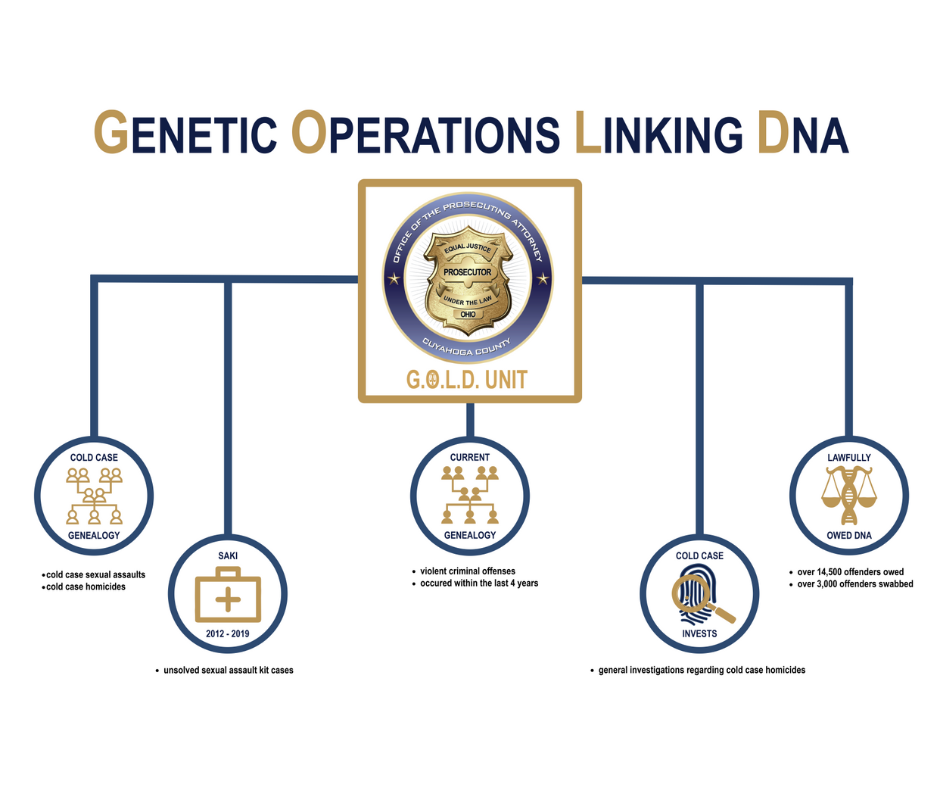
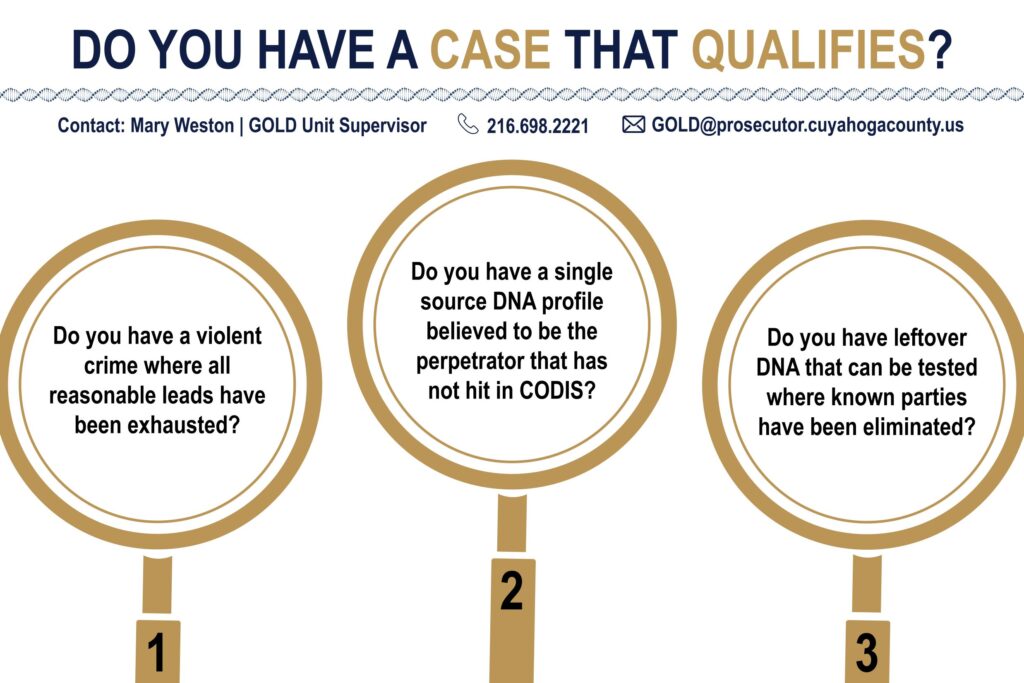
In 2019 and 2020, the CCPO’s Sexual Assault Kit Task Force (SAKTF)* was awarded grants from the U.S. Department of Justice’s Bureau of Justice Assistance SAKI program. Part of that funding helped launch the office’s G.O.L.D. Unit in October 2020. The G.O.L.D. Unit contracted with genealogy vendor Gene by Gene for a pilot project that included genealogical searches for 20 DNA profiles connected to cold case sexual assaults. In 2021 and 2022, the G.O.L.D. Unit was awarded additional BJA SAKI grants to continue genealogical testing of sexual assault cold cases and additional profiles were submitted.
*SAKTF / G.O.L.D. Unit History
Since its inception, the Task Force has completed over 7,200 investigations that have resulted in over 850 defendants indicted, the highest number of any SAKTF in the country. The number of indictments includes over 900 victims as several defendants are convicted or alleged serial offenders. Of those cases, the Task Force has secured over a 93% conviction rate with offenders’ average prison sentence being approximately 10 years.
As the original 7,026 investigations neared completion, the CCPO contacted the Cleveland Division of Police (CPD) Sex Crimes Unit who indicated there was a need for further investigation on sexual assault kits that have been tested by the Cuyahoga County Medical Examiner’s Office (CCMEO) between 2012 and 2019. The G.O.L.D. Unit was formed to conduct follow-up investigations and review unknown DNA profiles to determine if they may be eligible for additional testing with new technology. The Unit’s work includes the cold case sexual assault project, potential genealogical testing of cold case sexually motivated homicides, and continuing the Lawfully Owed DNA project. To date, 29 DNA profiles of indicted rapists have been submitted and we have now solved five cases using genealogy.
The SAKTF / G.O.L.D. Unit is led by the CCPO and includes CPD, BCI, CCMEO, Cleveland State University, and the Cleveland Rape Crisis Center.
What Is Elder Abuse & Fraud?
Elder abuse, fraud, and exploitation cases can be a variety of different criminal acts that affect an older person. These cases can encompass the physical abuse, improper taking, misuse, or concealment of funds from an individual aged 65 and older. With prominent scams targeting our aging population on the rise, it is important to provide guidance and support to those who may be targeted.

Economic Crimes Unit
Cuyahoga County Prosecutor Michael C. O’Malley is committed to protecting older adults who are being exploited or harmed. Our Economic Crimes Unit helps protect our county’s elder adults and helps to provide key criminal justice services to victims of elder abuse and fraud.
Our Economic Crimes Unit is composed of five assistant prosecuting attorneys experienced in complex litigation and financial crimes. Our Economic Crimes Unit prosecutes cases of white-collar crime, financial crime, public corruption, and cases of elder abuse and fraud. We have seen up to 50 cases of elder abuse and fraud a year!
Cuyahoga County Prosecutor Michael O’Malley is committed to seeking justice on behalf of every victim of crime. Our Economic Crimes Unit has recouped over $43 million in restitution and has recovered over $1.8 million in fines.
Prominent Scams Targeting Northeast Ohio’s Elderly




Government Impersonation Scams
What’s the Scam?
- Person is connected to scammer who represents themselves as a government agent
- Scammer convinces the person that they / a family member are in immediate peril — demands money
- Scammer will often know personal information about the person and warn them not to call police
Examples
- Warrants for a family member / friend — scammer demands immediate money to make it go away
- Threatens immediate cut-off of benefits — scammer demands money to restore the benefits
Romance Scams
What’s the Scam?
- Through dating apps / social media, scammers create in-depth fake profiles to obtain money
- Scammer pretends to be in a relationship with the person and often pretends to be out of country
- Scams are long-term (weeks / months) — can start asking for smaller amounts, before larger amounts
Examples
- Scammer claims to need money to come to the United States / obtain a Visa
- Scammer had a medical emergency or cannot access their accounts — need immediate money
Power of Attorney Abuse
What’s the Scam?
- Person (often widows) find they are in a situation where they need someone to handle finances
- Power of Attorney or POA (often trusted family / friend) promises to act in person’s best interest
- POA then abuses their power and serves their own best interest — abuse could fully deplete assets
Examples
- Withdraw $100 to buy groceries for person, spend $50 on groceries, and $50 on themselves
- Withdraw money from person’s account and transfer it to their own account
Computer & Technology Scams
What’s the Scam?
- Through phone call / computer pop-up, scammers warn about non-existent computer problem
- Scammers pretend to be “tech support” for a company and say there is a serious problem
- Scammers then demand payment to resolve the very serious, but non-existent, computer problem
Examples
- Pop-up comes on screen saying your computer has a virus and you need to pay to fix it
- Phone call saying your computer has been hacked and you need to pay to fix it
Advice & Warning Signs
Advice for Those Targeted
- Don’t panic — talk to a family member or trusted friend and be cautious of Cryptocurrency
- Don’t give out any personal identifying information and don’t hide any online relationships from family and trusted friends
- Talk to a person at the bank, family member, or trusted friend before withdrawing any money
- Call the police
Warning Signs for Family & Friends
- Frequent visits to the bank or store to wire money or send gifts
- Unexplained withdrawals / charges from your loved one’s bank account
- Changes to official documents, such as powers of attorney or wills
- Sudden withdrawal from family / friends & unwillingness to disclose information
Community Resources
Ohio Attorney General’s Elder Justice Unit
For questions or to file a complaint you can call 1.800.282.0515 or visit ohioattorneygeneral.gov
Ohio Department of Aging
Long-Term Care Ombudsman Program advocates for receiving home and assisted living care.
For more information call 1.800.282.1206 or visit aging.ohio.gov
ProSeniors
Nonprofit that provides free legal and long-term care assistance to older adults.
For free legal information and advice call 1.800.488.6070 or visit proseniors.org
Crime Stoppers
Crime Stoppers encourages members of the community to assist local law enforcement agencies in the fight against crime by overcoming the two key elements that inhibit community involvement: fear and apathy.
Callers can remain anonymous and are eligible to receive a cash reward up to $5,000 if the information given leads to an arrest or grand jury indictment of a felony offender.